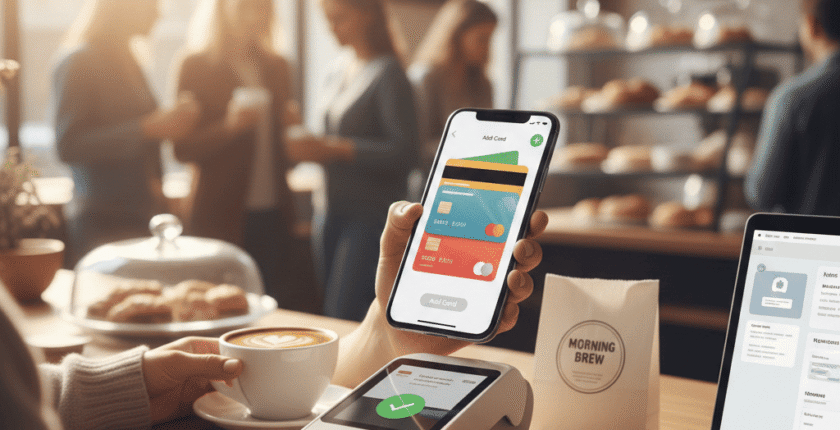
There’s something satisfying about paying for your morning coffee with just a wave of your phone. But, what if you are not certain about adding your bank account to Apple Pay? This digital wallet offers so much more than just a contactless payment method. Let’s dive into the world of Apple Pay and see how you can enrich your financial management with this tool.
Understanding the Basics
The first question that might pop up in your mind is: “What exactly is Apple Pay?” It’s a mobile payment service and digital wallet by Apple Inc. that allows users to make payments in person, through iOS apps, or on the web. And yes, it does work with most major banks across different countries, including numerous USA banks.
Why Consider Adding Your Bank Account?
You may wonder why you should go through the hassle of adding your bank account to another platform when you already have traditional payment methods at hand. One significant advantage is convenience – all it takes is a simple click or tap to process a payment. Moreover, using Apple Pay adds an extra layer of security as it doesn’t store or share card details, thereby providing safer transactions.
How To Add a Bank Account
So how exactly can you add a bank account to Apple Pay? It’s surprisingly straightforward:

- Open the Wallet app on your iPhone
- Tap ‘+’ sign in the top right corner
- Select ‘Credit or Debit Card’ (Your bank details will be linked via this card)
- Follow the prompts to enter your card information
- Your bank will then verify your information and decide if you’re allowed to use that card with Apple Pay
Different Methods Of Adding Bank Accounts
Are there different methods to add a bank account? Yes, indeed! Besides the standard method of using your phone, you can also add your bank account through Apple Watch, iPad, and Mac. Each device presents a unique set of steps but all are user-friendly and designed with simplicity in mind.
A Snapshot Of Supported Banks
| Bank Name | Supports Apple Pay |
|---|---|
| Chase Bank | Yes |
| Bank of America | Yes |
| Wells Fargo | Yes |
While this table offers a snapshot of some USA banks that support Apple Pay, it’s always best to check with your individual bank for the most accurate information.
Frequently Asked Questions
Can I add multiple bank accounts to Apple Pay?
What if my device is lost or stolen?
Is there a fee associated with using Apple Pay?
To sum it up without resorting to cliché conclusions, adding your bank account to Apple Pay is about more than just convenience. It’s about embracing an increasingly digital world and securing your transactions in the process. Whether you have an account with a small local bank or a large national USA bank – most likely they will be compatible with this change towards quicker and safer payments.